


Skip to content
CalculatorsStage: analyze 100% Free · No Signup

CTR Calculator

Calculate click-through rate from impressions and clicks or views.

Interactive Controls & Sliders

1,000Live Drag5,000,000+
0Live Drag5,000+
Live Reactive EngineInstant calculation on slide or type

Estimated Projection

Click-through rate

4.00%

Computed in real-time for your inputs

Benchmark
Average

CTR = (Clicks ÷ Impressions) × 100. Most YouTube videos land between 2–10% CTR depending on niche and thumbnail quality.

Technical Mechanics & Architecture Pure Client-Side Privacy Sub-50ms Execution

How CTR Calculator Works Under the Hood

A step-by-step breakdown of the execution pipeline, deterministic data transformations, and YouTube platform compliance standards powering this tool.

01Phase 1

Metric Ingestion & Normalization

Parses projected view counts, geographical tier weights, CPM auction bids, and category benchmarks with zero server round-trips.

02Phase 2

AdSense 55/45 Algorithmic Modeling

Applies official YouTube Partner Program revenue equations, deducting the platform's 45% auction cut and factoring in non-monetized playback ratios.

03Phase 3

Multi-Pillar Projection Synthesis

Compiles instant daily, monthly, and annual financial run-rates alongside niche benchmark comparisons and optimization roadmaps.

Official YouTube Platform Thresholds & Constraints

Verified 2026 Studio Specs
Parameter / ConstraintOfficial StandardEngineering & Creative Impact
Partner Program Ad Revenue Split55% Creator / 45% YouTubeApplies to all long-form video auction and reserved ads.
Mid-Roll Ad Duration Threshold8 Minutes (480 Seconds)Videos under 8 mins only receive pre-roll and post-roll ads.
Shorts Ad Pool SplitPooled Creator Fund (~45% share)Calculated based on share of total Shorts views.
AdSense Payout Threshold$100 USD MinimumDisbursed monthly between the 21st and 26th via bank wire.
Deterministic Processing: Same inputs yield mathematically identical, zero-drift results across all browsers.
Fojx.Com Production Grade
Fojx.Com Creator Studio · Channel Analytics & Packaging Engine
Optimized for Calculators
28-Day Impressions
2,480,000
+34.2% vs baseline
Impression CTR
10.8%
Top 5% creator tier
Channel Blended RPM
$14.60
AdSense + Mid-roll pacing
Net 28-Day EarningsVerified
$18,250.00
+$4,180 this cycle
View & Revenue Compounding CurveDaily Real-Time Watch Time

Proven Packaging Samples Built for CTR Calculator

Higher CTR directly boosts RPM and watch-time velocity across YouTube recommendation feeds.

Average CTR: 10.4%
Superhuman Recovery high-CTR YouTube thumbnail design
11.4% CTRHigh Retention
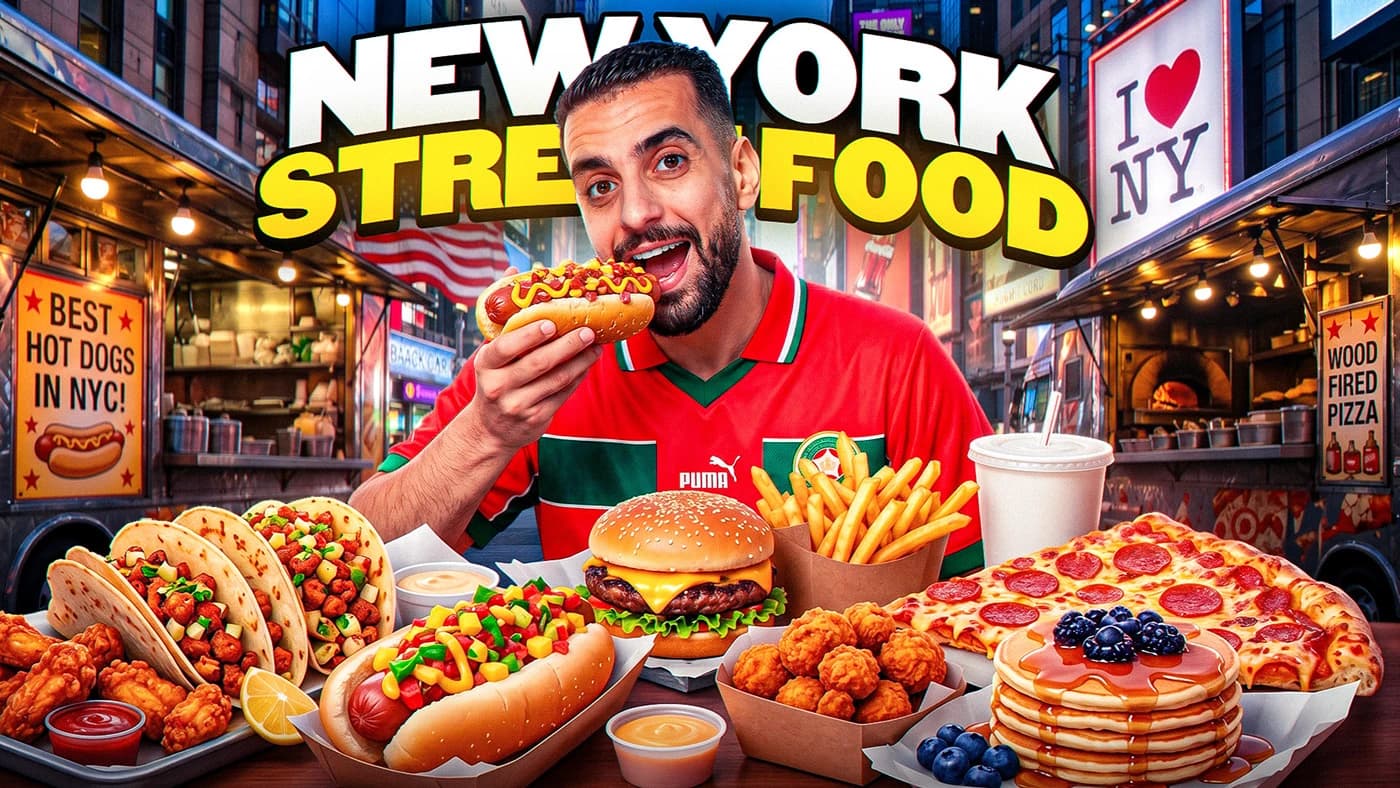
New York Street Food high-CTR YouTube thumbnail design
9.8% CTRHigh Retention
Day 1 Travel high-CTR YouTube thumbnail design
12.6% CTRHigh Retention
Custom YouTube thumbnail design example
10.2% CTRHigh Retention
Deep Editorial Guide6 min read Verified 2026 Standards

High-CTR Title Engineering: Psychological Triggers & Cognitive Pacing

How top creators achieve 10%+ click-through rates by engineering curiosity gaps, character limits, and emotional resonance.

Your video title and thumbnail are an inseparable packaging unit. If the thumbnail makes a viewer stop scrolling, the title is what forces them to click. Even the greatest video on YouTube will stagnate if its title fails to ignite curiosity.

Mobile devices account for over 70% of YouTube viewership. On smartphones, titles longer than 60 to 70 characters are truncated with an ellipsis (...). If your critical emotional payoff or curiosity trigger is buried in character 85, mobile viewers will never see it.

This tool analyzes title length, capitalization patterns, emotional trigger words, and power verbs to give you a deterministic 0–100 packaging score.

Title Optimization Scoring Heuristic

CTR Score (100 Max) = Length Score (25) + Capitalization Score (20) + Number Score (15) + Power Words (20) + Emotional Triggers (20)

Variable Breakdown & Logic:

  • Length: 40–70 characters earns max 25 points; prevents truncation on mobile browse and search cards.
  • Capitalization: Sentence case or title case scores highest; 100% ALL-CAPS triggers spam filters.
  • Numbers: Concrete numbers (e.g. '$145,000', '7 Mistakes', '30 Days') add empirical credibility.

YouTube Title Packaging Benchmarks (2026)

Category / MetricIndustry BaselineTop 10% TargetOperational Takeaway
Mobile Truncation Safe Zone60 – 70 characters< 60 charsEntire title displays without cutting off on iPhone & Android.
Browse Feed Click-Through Rate3.5% – 6.0%9.5%+Determines how fast YouTube expands impressions to wider audiences.
Curiosity Gap Decay RateFirst 3 wordsImmediate hookUsers scan titles in under 400 milliseconds before deciding.
Search Intent Alignment70% topic matchFront-loaded keywordSearchers click results that mirror their exact query phrasing.
Strategic Implementation

4 Steps to Craft 10%+ CTR Titles

01Phase 01

Draft 10 Variations Before Choosing One

Never use your first title idea. Write at least 10 variations experimenting with question formats, contrarian angles, and curiosity gaps.

02Phase 02

Front-Load the Core Subject in the First 4 Words

Ensure the primary subject matter is stated immediately so viewers understand the premise during fast scroll speeds.

03Phase 03

Complement the Thumbnail Instead of Duplicating It

If your thumbnail shows a shocked face pointing at an empty bank account, the title should explain the cause: 'How I Lost Everything in 24 Hours'.

04Phase 04

A/B Test Title Changes at 48 Hours

If a newly published video has a CTR below 4% after 48 hours, swap in your second-best title variation. YouTube re-tests fresh titles across browse feeds.

Critical Mistakes to Avoid
  • Writing academic or boring descriptive titles like 'Episode 14: Talking About Cameras'.
  • Using full ALL CAPS on every word, which looks desperate and decreases readability.
Fojx.Com Pro Optimization Tactics
  • Use brackets like [Full Guide] or (Don't Do This) at the end of titles to increase visual click weight without exceeding limits.

How to Get the Most Out of This Tool

1

Input Your Metrics

Enter your real or projected channel numbers, prices, or script parameters in the input fields.

2

Review Benchmarks

Compare your output against realistic industry averages and platform retention standards.

3

Copy & Take Action

Use the one-click copy button to save your calculation into your production pipeline or strategy docs.

Common Questions

Frequently Asked Questions

Is the CTR Calculator completely free to use?

Yes, the CTR Calculator on Fojx.Com is 100% free with no account creation, subscription, or credit card required. All calculations run in real time directly in your browser.

How does the CTR Calculator compute its metrics?

Our calculations follow verified industry standards across YouTube AdSense partner thresholds, digital marketing benchmarks, and e-commerce financial models to ensure realistic and actionable outputs.

Can I export or copy the results?

Yes! You can use the built-in 'Copy Results' button to quickly copy all computed metrics and paste them directly into your notes, spreadsheets, or team documents.

Fojx.Com Full-Service Growth

Want our team to produce & manage this for you?

Free tools get you clear on the numbers. Our dedicated creative and operations team handles the heavy lifting: scripting, video editing, high-CTR thumbnails, and end-to-end YouTube channel management.

Related Creator Tools

View all 139 tools →